Chapter 18: Running for Hours — The Ralph Loop
A few years ago, the question “how long can an AI agent work autonomously on a real software task before it gives up or goes off the rails?” had an embarrassing answer. About five minutes. After that, the early GPT-4 agents would either decide they were finished when they weren’t, or wander off into a tangent that had nothing to do with the original goal.
That number has moved.
METR is an AI capability evaluation organization that builds benchmarks of long, real-world software tasks — the kind of work that takes a human engineer hours to complete. In late 2025, METR ran Claude Opus 4.5 against its benchmark and reported a median autonomous performance horizon of 4 hours and 49 minutes at a 50% task-completion rate. In plain language: Opus 4.5 could be turned loose on a real engineering task and, half the time, still be making correct progress almost five hours later.
This chapter is about how to actually use that.
The Boris Cherny Tweet
Boris Cherny is the engineer at Anthropic who created Claude Code. In late 2025 he posted a summary of his own coding output:
“When I created Claude Code as a side project back in September 2024, I had no idea it would grow to what it is today. Fast forward to today, the last 30 days, I landed 259 PRs, 457 commits, 40,000 lines added, and 38,000 lines removed. Every single line was written by Claude Code and Opus 4.5. Claude consistently runs for minutes, hours, and days at a time using stop hooks. Software engineering is changing.”
A quick refresher: a PR (pull request) is a proposed change to a codebase — a bundle of edits with a description, that other people review and merge into the main branch. Landing 259 PRs in 30 days is roughly nine per day, every day. The author of Claude Code shipped that output with zero hand-written lines of code. The mechanism that made it possible is one feature: the stop hook.
🧠 Remember. Boris’s productivity is not the product of a magic prompt. It is the product of a deterministic harness wrapped around a non-deterministic model. The model writes the code. The harness keeps the model on task.
Why Prompting Alone Goes Lazy
If you try to get long-running behavior with prompts alone — “do all twenty of these tasks, do not stop, run tests after each one” — Claude will get partway through, decide the work is done, and exit. Not because Claude is lazy in any human sense. The model is trained to terminate when it believes the user’s goal has been met. After task seven of twenty, the conversation looks “complete enough,” and Claude returns control to you.
You cannot prompt your way out of this. You need a mechanism outside the language model that fires when Claude tries to stop, checks whether the work is actually done, and if not, feeds the next instruction back in.
That mechanism is the stop hook.
Stop Hooks, Briefly (Again)
Chapter 14 introduced hooks: small shell scripts that fire at specific moments in Claude’s workflow. There are several events — before a file edit, after a bash command, before context is compacted — and each can have a hook attached.
The Stop event fires the moment Claude is about to return control to the human and end the current turn. A stop hook is a shell command attached to that event. The hook has two superpowers that no prompt has:
- It can block the stop. There are two ways to signal it: exit with status code 2, or exit cleanly and print a small piece of JSON containing
"decision": "block". Either way, Claude does not return control to you. The turn keeps going. - It can inject new context. The blocking hook hands Claude a message — the
reasonfield of that JSON (or, with exit code 2, whatever the hook wrote to its standard error). So the hook can say to Claude: “You are not done. Items 4, 5, and 7 on the to-do list are still unchecked. Keep going.”
That is the entire trick. Block the exit. Inject the next instruction. Repeat until the work is actually finished.
🔧 Technical Stuff. The hook receives the session’s recent state on its standard input (formatted as JSON) and can return JSON on its standard output — for a Stop hook,
{"decision": "block", "reason": "..."}is the shape that keeps the loop going. Note that exit code 1 does not block; only exit code 2 does. For most purposes, a 20-line shell script is enough. The full schema is in the Claude Code docs under Hooks → Stop.
The Ralph Loop
This pattern has a name: the Ralph loop, named after Ralph Wiggum, the character from The Simpsons whose defining personality trait is unshakable persistence in the face of comically bad results. (“I’m helping!”) The name came out of the AI-engineering community and stuck. Anthropic now ships an official plugin called ralph-wiggum that bundles together the stop hook, a state file, and two slash commands: /ralph-loop to start the whole thing and /cancel-ralph to shut it down.
The shape of a Ralph loop:
- You give Claude a prompt and a completion promise — an exact phrase that means “done,” tied to a condition you can verify. For example: Claude may declare “ALL TASKS COMPLETE” only when every item in
todo.mdis checked off andpytestexits zero. - You set a max iterations cap. (Common values: 20–50.)
- You start the loop.
- Claude works on the task. When it tries to exit, the stop hook fires.
- The hook scans Claude’s output for the exact promise text. If the promise has not been declared, it blocks the exit and re-injects a “keep going, here is what is left” message.
- The loop continues until either the promise appears or the max iterations cap is reached.
Inside that loop, Claude does what Claude always does: reads files, edits code, runs tests, runs queries. The only difference is that Claude cannot leave until the harness lets it leave.
🧠 Remember. Two guardrails are non-negotiable: max iterations and a completion promise. Without max iterations, a bug becomes an infinite loop that burns money until you notice. Without a completion promise, the hook has no way to recognize “done” and will not stop on its own.
The To-Do File Pattern
The most reliable Ralph setup uses a plain markdown to-do file as the source of truth. Something like this:
# refactor_todo.md

- [ ] Move AKI staging logic from notebook A to shared module
- [ ] Update pipeline B to import from the shared module
- [ ] Add a unit test for the AKI stage 2 boundary case
- [ ] Run the eval cohort and confirm alert count matches baseline
- [ ] Update CLAUDE.md to point to the new module
You then prompt Claude something like:
“Work through
refactor_todo.mdstep by step. For each unchecked item: do the work, run the relevant tests, and only mark[x]when tests pass. Then move to the next item. Do not stop until every item is checked.”
The stop hook re-reads refactor_todo.md after every turn. If it finds an unchecked box, it blocks the exit and re-injects the prompt. When every box is checked, the hook allows Claude to exit.
This is elegant because the state lives in a file, not in Claude’s head. Claude can forget what it was doing, lose context to compaction, even crash and restart — the next iteration simply re-reads the to-do file and continues from wherever it left off.
💡 Tip. Always include a validation step inside each to-do item — a test, an eval run, a row-count check, a
git diffreview. Without one, Claude can mark items complete that are not actually complete, and you will come back in the morning to a fully-checked list and a broken pipeline.
Where the Ralph Loop Shines
The Ralph loop’s sweet spot is work that is:
- Long. Hours, not minutes.
- Listy. Decomposable into a flat list of similar items.
- Verifiable. Each item has a deterministic pass/fail check.
Examples that work well:
- Refactoring fifty notebooks to use a shared helper module.
- Migrating a codebase from one library version to another.
- Updating every Markdown file in a documentation site to match a new style guide.
- Re-prompting and re-evaluating a set of AI Office extraction pipelines.
Examples that do not work well:
- Open-ended research (“figure out the best architecture for X”). There is no completion check.
- Single-file feature work. Too small to justify the loop; supervise it.
- Anything where each task depends on a midway human decision.
The Three Ways a Ralph Loop Ruins Your Day
There are exactly three failure modes. Memorize them.
1. Infinite loop. No completion promise, or a done-condition so vague that Claude never legitimately reaches it. The loop runs until you notice. By then it has burned through a serious amount of money.
⚠️ Warning. Always set
--max-iterations 30(or whatever value fits your task). Even with a completion promise in place, this is your circuit breaker. Without it, a single bug can turn into an overnight bill in the hundreds of dollars.
2. Token burn. Even a well-shaped loop running Opus across a large codebase can spend $50–$200 in a single overnight run. That can be money well spent. It can also be money wasted because you mis-specified the prompt. Always test the loop on a short prefix (max iterations 3, two to-do items) before kicking off the full run.
3. Cascading silent failures. Without per-iteration validation, Claude can build new work on top of subtly wrong earlier work. By iteration fifteen, the codebase looks done but is wrong in ways the to-do checks miss. This is why every to-do item needs a real verification — a test, a query, a row count — not just a “Claude believes it works” pass.
Stacking the Tools
The full-power configuration is four chapters glued together:
- One worktree per Ralph loop. Run the loop inside a worktree (Chapter 16), so the loop has its own folder, its own branch, and cannot interfere with whatever you are doing on
main. - Subagents for parallel sub-tasks. Within a single Ralph iteration, Claude can spawn subagents (Chapter 13) that each handle one item in parallel and report back.
- Headless mode for fully unattended runs. Combine
-p, a tight allowlist (Chapter 17), the Ralph plugin, and a max-iterations cap. Now you can start the loop from a cron job and go home.
🧠 Remember. Worktrees + subagents + Ralph + headless is the stack behind output like Boris Cherny’s. It is not magic. It is four ordinary features stacked, each one earning its keep, each one with its own guardrail.
The KHCC Example
It is Friday at 5:30 PM. You have a list of twelve AI Office extraction pipelines that all need their prompts updated for a new GPT-4.1-mini deployment, and each one needs to be re-evaluated against the frozen deceased-patient cohort (Chapter 0.5: the roughly 1,000 deceased patients with hand-annotated ground truth, which every AI Office pipeline is graded against). Each pipeline takes maybe 20 minutes of supervised work. Twelve times twenty is four hours. You do not want to stay at the hospital until 9:30 PM.
You write friday_refresh_todo.md:
# Friday Prompt Refresh

For each pipeline:
- Update the prompt to the new gpt-4.1-mini system message template.
- Re-run the eval against the frozen deceased-patient cohort.
- Confirm eval pass rate is >= prior baseline (stored in eval_runs).
- Mark the item complete only if the eval passes.
- If the eval regresses, leave the item unchecked and add a note explaining why.

- [ ] pathology_v6_2          (Pathology Extraction Pipeline)
- [ ] er_extractor             (ER Triage Extractor)
- [ ] aki_notification         (AKI Notification Pipeline)
- [ ] chemo_prep               (Chemotherapy Preparation Checker)
- [ ] vanco_tdm                (Vancomycin TDM Module)
- [ ] amr_audit_breast         (Post-surgery microbiology, breast)
- [ ] amr_audit_urology        (Post-surgery microbiology, urology)
- [ ] amr_audit_ent            (Post-surgery microbiology, ENT)
- [ ] discharge_summary
- [ ] bmt_gvhd_extraction      (BMT outcomes cohort)
- [ ] readmission_risk
- [ ] icu_dx_extract
You create a fresh worktree for the refresh. You launch Claude with the Ralph plugin, set --max-iterations 40, and define the completion promise: Claude may declare “REFRESH COMPLETE” only when every item in friday_refresh_todo.md is checked or annotated, and aidi_catalog.dbo.eval_runs has a new row for each pipeline.
You go home.
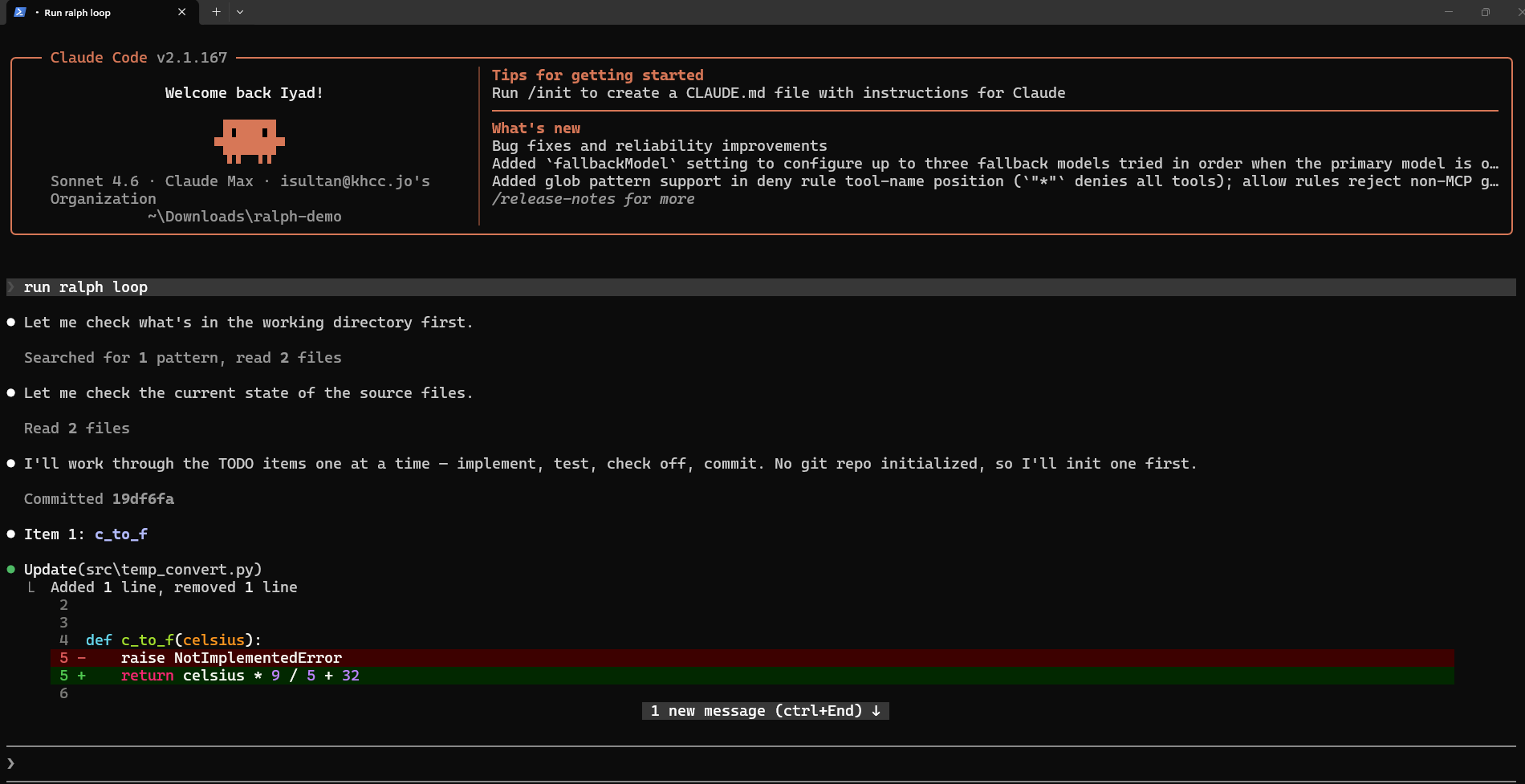
Saturday morning, you check the worktree. Eight items are checked. Three items are unchecked with notes explaining mild regressions. One item is flagged with a longer note: “needs human review: eval pass rate dropped from 0.91 to 0.74, prompt likely needs restructuring, not just template update.” Total wall-clock time: 5 hours 12 minutes. Total cost: $34. Total evenings of your life burned: zero.
Monday, you spend about an hour on the four flagged items — the four where human judgment was genuinely needed. The refresh that would have taken you a full week is done by Tuesday lunch.
This is what the new era of coding agents actually looks like. Not Claude replacing you. Not Claude doing the easy 80% of the work badly. Claude doing the listy, repetitive, verifiable 80% correctly, overnight, while you sleep — while you spend Monday on the four interesting cases where clinical judgment is genuinely needed.
💡 Tip. Always have the Ralph loop write a per-iteration log to a file. When you review on Monday, you want to see why each item was checked or skipped, not just the final state of the list. A loop without an audit trail is a loop you cannot trust.
Try This
- Install the
ralph-wiggumplugin. Plugins are managed from inside a session: run/plugin, add Anthropic’s official plugin marketplace if it is not already listed, and installralph-wiggum. (Check/helpif your menu looks different.) - Create a
practice_todo.mdwith five tiny tasks (create a file, rename a function, add a docstring, etc.), each with a check. - Run
/ralph-loop "Work through practice_todo.md. Declare ALL DONE only when every item is checked and pytest exits zero." --max-iterations 15 --completion-promise "ALL DONE". - Watch the stop hook fire between iterations. Notice that Claude does not get to leave until the list is done.
- Now add a deliberately impossible item (“connect to a server that doesn’t exist”) and watch the loop burn its iteration budget trying. This is the failure mode that max iterations exists to limit.
Watch Out
- Never run a Ralph loop without max iterations. This is the single most expensive mistake in this book. An infinite loop on Opus overnight is a four-figure bill.
- Never run a loop without a completion promise the hook can actually verify. “Until it’s good” is not a promise. “Until pytest exits zero AND the eval pass rate exceeds 0.85” is.
- Validate per-item, not just at the end. A loop that checks twenty items and only tests at the very end will silently hide nineteen cascading failures.
- Watch the cost. Set a token budget. Run the loop on a short prefix first and check
/cost. Multiply by your iteration count. If the projected total is alarming, switch to Sonnet, shrink the prompt, or split the work. - Do not Ralph-loop a clinical pipeline change without a real eval gate. The eval suite against the deceased-patient cohort is the only acceptable completion criterion for an AI Office prompt change. “Tests pass” is necessary but not sufficient. “Eval pass rate ≥ prior baseline” is the bar.
- Ralph is not a substitute for thought. It is a tool for executing a plan you already have. If you would not trust a junior engineer to grind through your to-do list overnight, do not trust Claude to either — the right answer is to fix the to-do list first, not to launch the loop.