
Reach out: connectors, browser, computer use
Files are only half the job. Cowork can also reach the apps you use. It tries three routes, in this order: a connector first, then a browser, then your screen. Each step down is slower and riskier.
Connectors
A direct, permissioned link to an app: Microsoft 365, Gmail, Google Drive, Slack and many more. Any service that speaks MCP can be added as a custom connector.
Customize → Connectors, or + → Connectors.
Browser
The built-in browser opens in a side panel; Claude reads, clicks and fills forms while you watch. Claude in Chrome does the same in your own Chrome.
Asks permission before acting on each new site.
Computer use
Claude moves the mouse and types in your desktop apps. Beta, Pro and Max only. Asks per app, per session.
No sandbox between Claude and your screen.
Connectors carry your own permissions
Claude sees only what your account can see in that app. On Team and Enterprise an owner switches a connector on for the organization, then each person signs in.
Cloud tasks reach connectors through Anthropic's servers. A KHCC server behind the hospital firewall is not reachable this way, which is the point: clinical systems stay inside.
From my Outlook calendar, list every committee meeting in the next four weeks. For each one, find the latest minutes in my practice folder and write a one-paragraph brief. Save as meeting-briefs.docx.
Built-in browser
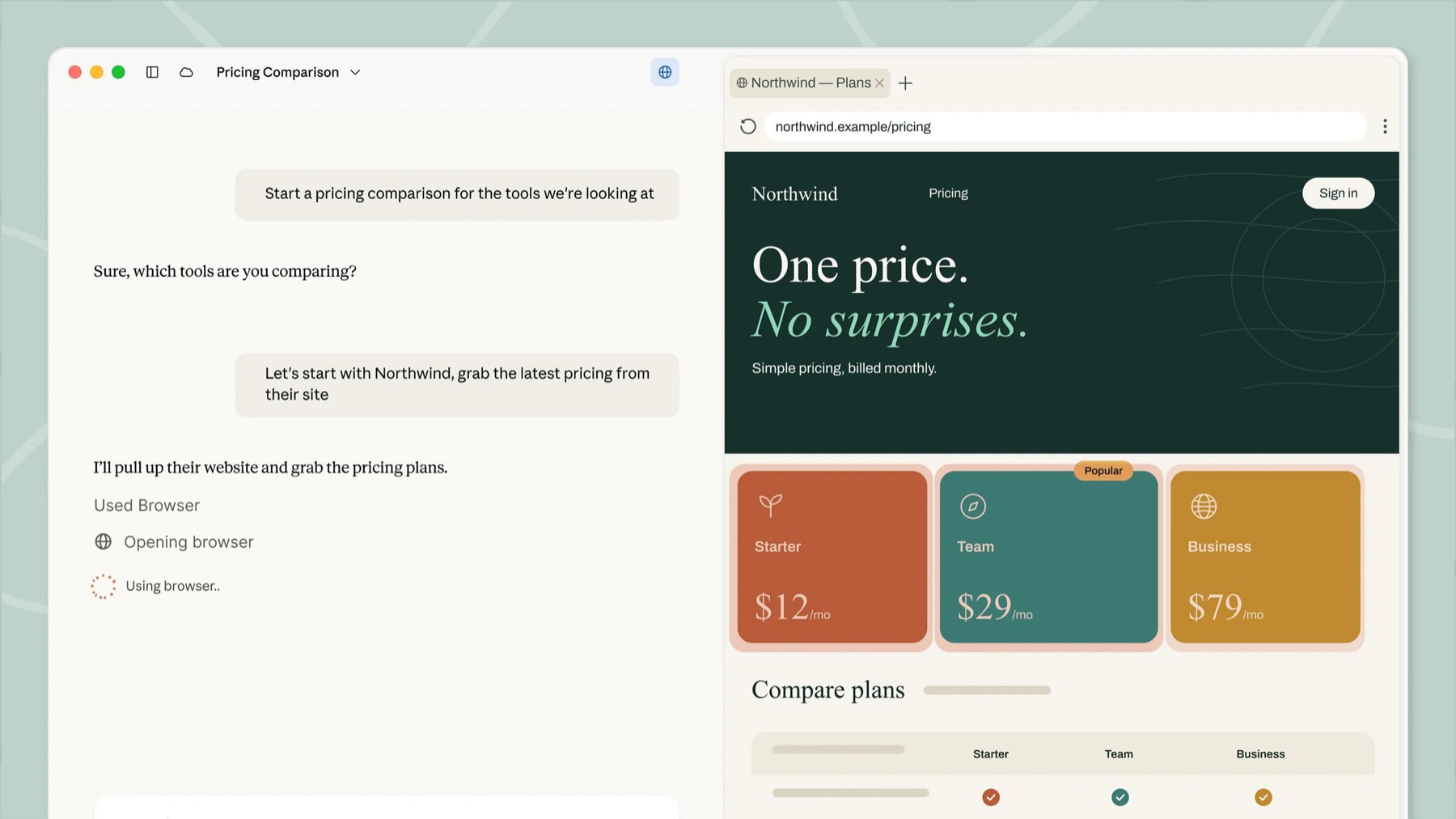
The built-in browser does not see your logins unless you import cookies site by site. Anything you sign in to there stays available to Claude in later sessions on that computer. If you already use Claude in Chrome, it stays the default: Settings → Cowork → Preferred browser.
Open the NCCN and ESMO public guideline pages for febrile neutropenia. Make a two-column table of what each says about first-line empirical therapy, with links. Public pages only; do not sign in anywhere.
Computer use asks first
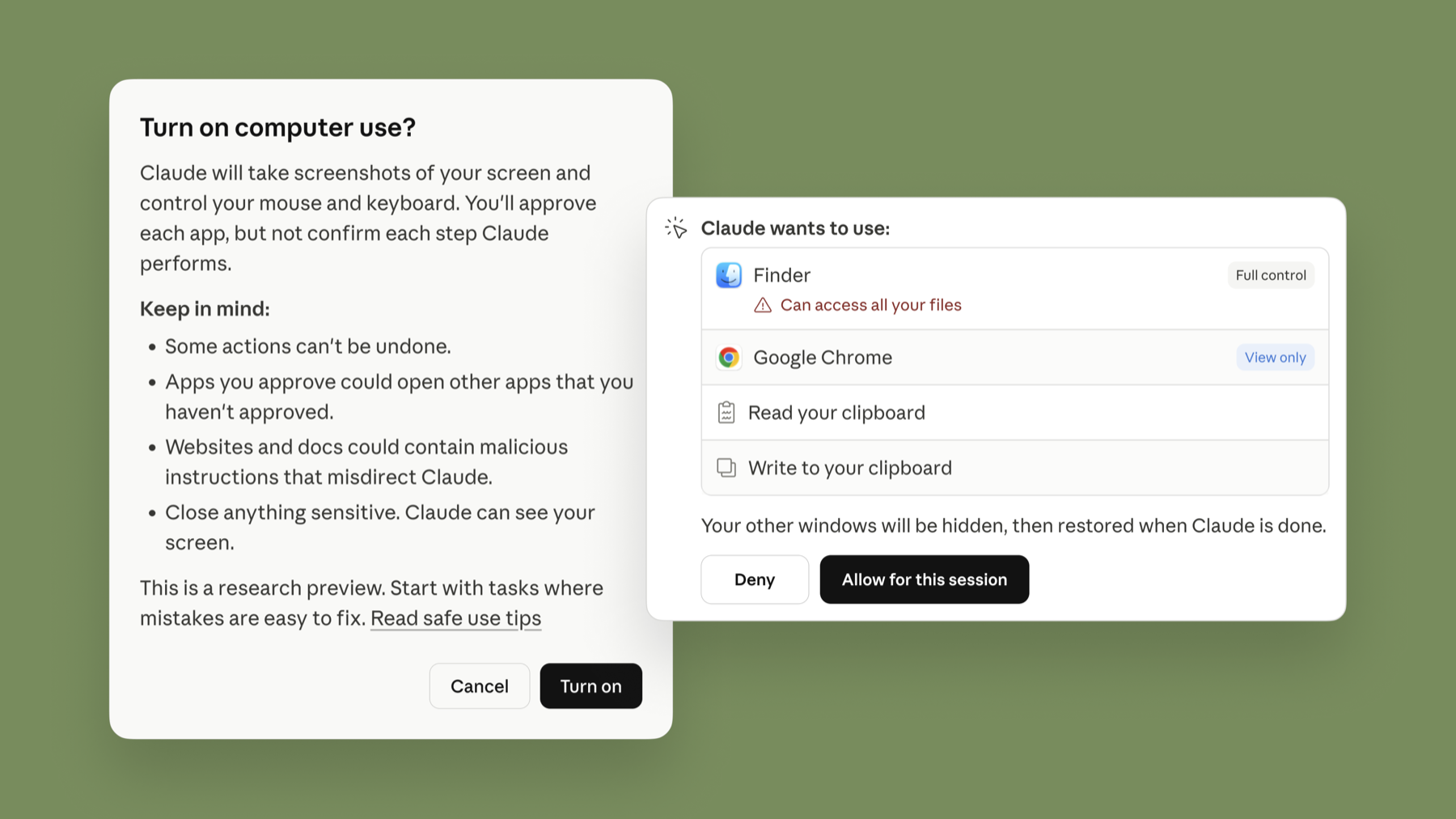
Allow only the app the task needs, for this session only. Block clinical and finance apps outright.