
Skills and plugins
A skill is a saved briefing: instructions (and sometimes a script) that Claude loads when the job calls for it. A plugin is a bundle for a whole role: several skills, slash commands, connectors and sub-agents in one install.
Skill
- A Markdown file with a short header
- Built in: Word, Excel, PowerPoint, PDF
- Yours: Customize → Skills → +
- Upload a skill as a ZIP of its folder
Plugin
- Skills + commands + connectors + sub-agents
- Customize → Plugins → Discover → Add
- Run with / or
/plugin-name:command - Follows your account into chat and Claude Code
Browse the directory
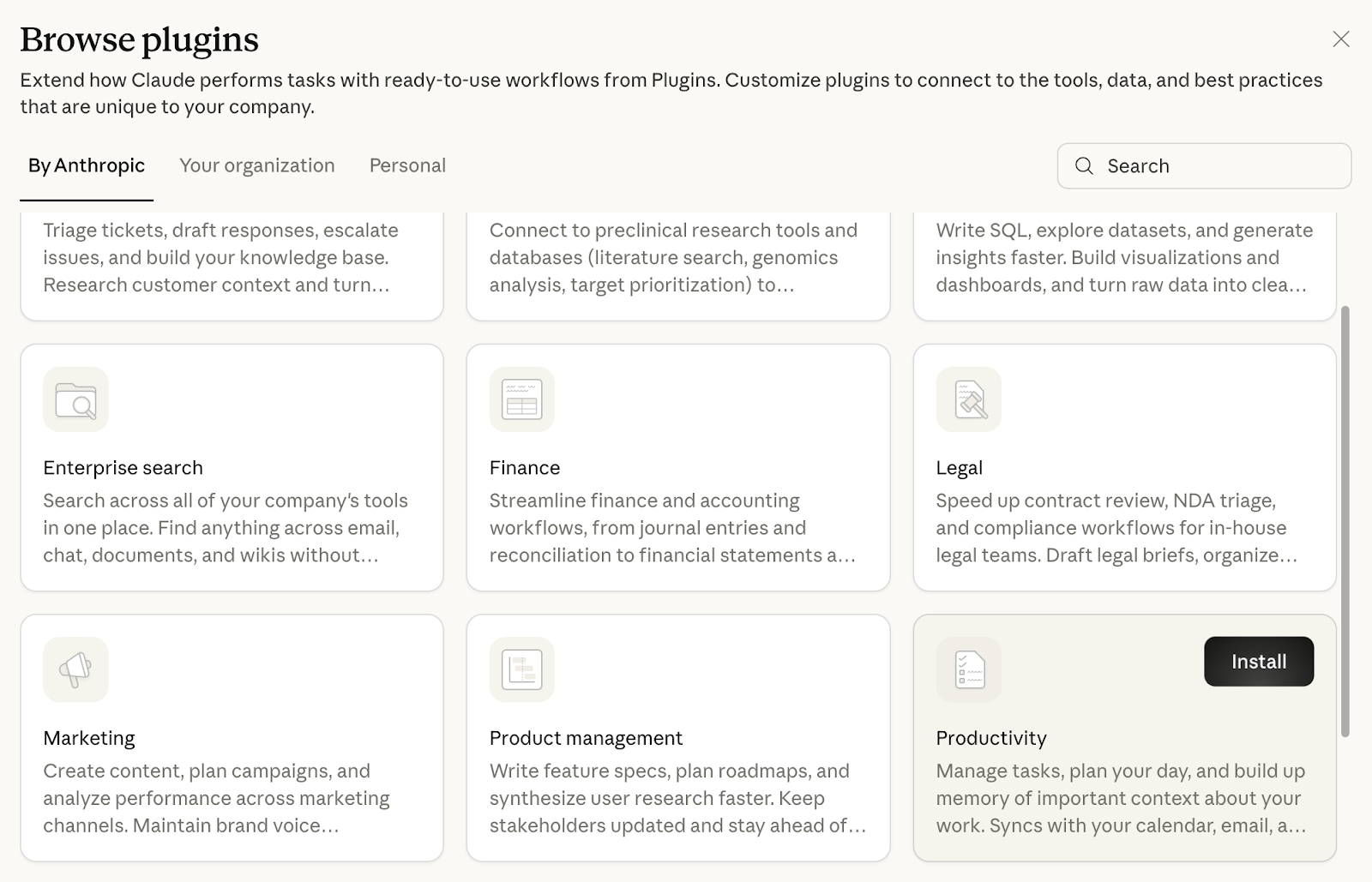
The Knowledge Work marketplace is added by default. Anthropic also publishes Life Sciences, Financial Services and Legal marketplaces. Install only from sources you trust: plugins that bundle a local server run with your computer's permissions.
Run a plugin command
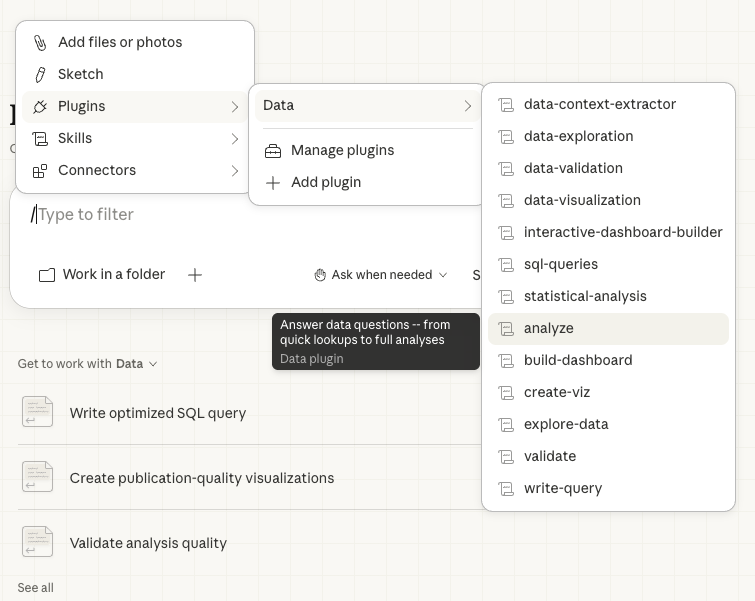
Type /, pick one of the Data plugin's commands from the list, then add your question:
Use quality-counts.csv. Which indicator moved most in August 2026, and is it outside its usual range?
Look inside a plugin
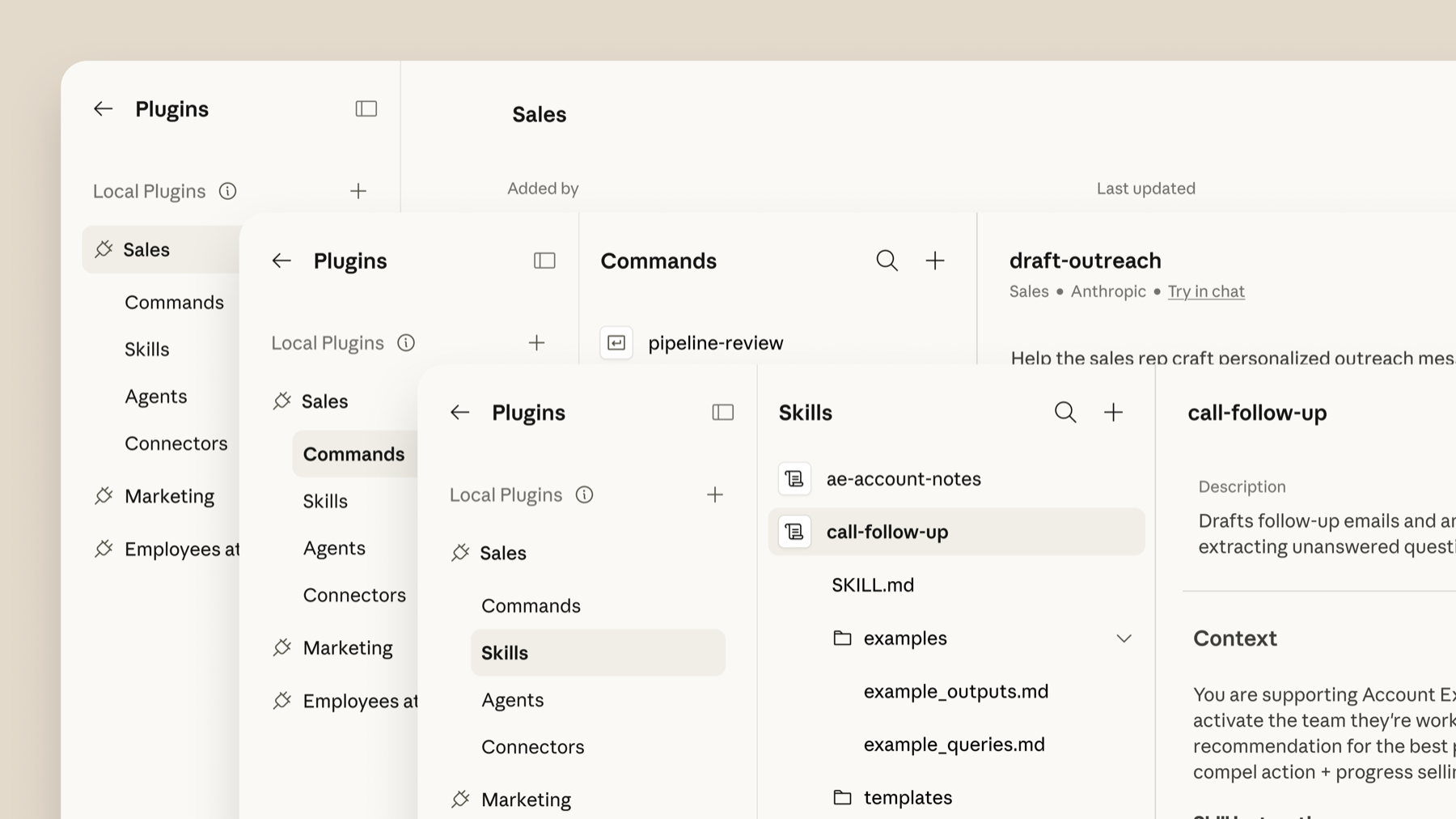
Do the job first, then make the skill
The best skills come from real work, not from a blank form.
- Do the task with Cowork once, for example merging three unit updates into one monthly report.
- Give feedback until it is right: “Lead with three numbers, then three highlights and three lowlights. Under 300 words. PDF.”
- Then say: “Go back through our conversation and create a monthly-report skill that captures this whole workflow.” Answer its questions.
- If it asks you to install it: Customize → Skills → + → Upload a skill, and pick the file it made.
Check that Anthropic's skill-creator skill is switched on under Customize → Skills. To change a skill later, tell Cowork which skill and what to change, then re-install it. Keep a backup copy of your skills: they do not move to a new computer on their own.
▶ See it in Jeff Su's video (10:38) · building a weekly-report skill
Or write one directly:
Write me a skill called committee-minutes.
When I give it raw meeting notes, it should produce KHCC-style minutes:
- header with committee, date, chair (no attendee names)
- decisions numbered, each with owner role and due date
- an "Open from last meeting" section
- a closing line with the next meeting date
It must flag any patient identifier and refuse to include it.
Save it as a skill folder I can upload.